Payments and payouts
What fans pay, what creators keep, and when the money reaches your bank.
Card payments on Nero run through Stripe. Fans can also use a funded Nero gift balance for eligible submissions. Creators connect a bank account once, and deposits happen on their own from there.
What fans pay
- Each creator sets their own prices for skips, the throne, paid submissions, and add-ons. The exact price always shows before you pay.
- Checkout is Stripe. Nero never sees or stores your card number.
- Free submissions never ask for payment details.
When payment confirmation is pending
A payment can complete before your submission or upgrade reaches the queue. The confirmation stays on the submission screen while your place in line updates. If it takes longer, Nero shows your payment status. If your queue spot is pending, Nero will retry automatically. You can close the window and reopen your submission to check its status. You don’t need to pay again. If the connection drops while checking your payment, Nero keeps checking the same checkout. Don’t submit another payment while confirmation is pending. If you need help, contact support@nero.fan.
Gift cards
When gift cards are available, buy one under Account, Gift cards and share its code. The recipient adds the code to their own account and can use the balance with any host on Nero. Credit does not expire, and unused credit stays in their balance.
Gift balance currently pays for a new submission in full, without add-ons. Upgrades, memberships, add-ons and submissions above your balance use their usual payment flow. Hosts may authorize available earnings for a gift-card purchase. If the full amount cannot be collected immediately, Nero opens card checkout instead.
Hosts earn their usual share when gift credit is spent, paid through Nero's weekly earnings payout. For help with a gift card or a refund, contact support@nero.fan.
What creators keep
You keep 80% of Nero payments and Nero keeps 20%. For an add-on fulfilled by your connected Fourthwall store, Nero keeps 10% and you keep 90%, since the product and shipping cost come out of your side. There are no listing fees and nothing to subscribe to.
Shopify merchandise is paid separately in Shopify Checkout. Nero takes no cut; Shopify handles the payment and merchant payout.
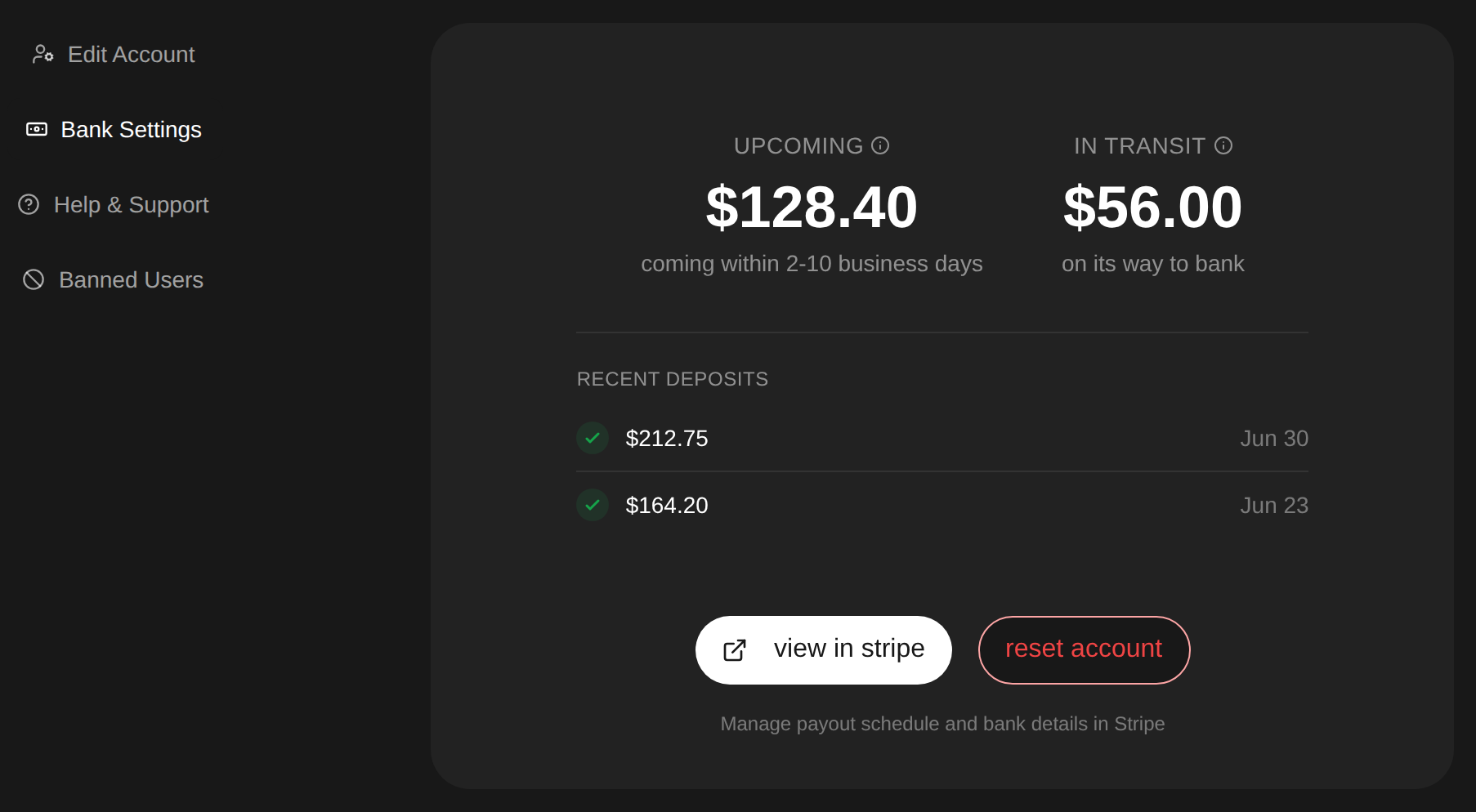
- Connect your bank under Account, Bank Settings. Stripe reviews new accounts, usually the same day though some take 1 to 2 days, and payouts turn on when the review clears.
- Deposits usually reach your bank within 2 to 10 business days of a payment. Once a deposit is in transit it lands in 1 to 2 business days.
- Upcoming, in transit, and recent deposits all show under Account, Bank Settings. Your payout schedule and bank details live in your Stripe dashboard.
Refunds
All sales are final. A skip payment is not refundable once the song is in the queue, and the full policy is in the terms of service. If a payment went wrong, email support@nero.fan and we will look into it.